For TSE and CSE teams · Mac and Windows
The investigation desk for technical support engineers.
Every new ticket gets a first response: Arcus reads the logs and screenshots, writes an internal note and a safe public reply, and finds the past case your team already solved. You approve what goes out.
Recorded in the app with sample data, no edits. Company names are fictional.
How it works
01
A ticket comes in
Arcus reads the ticket, the attached logs and the screenshots as soon as it lands in Zendesk or ServiceNow.
02
First response, drafted
You get an internal note with the evidence and likely cause, plus a customer-safe public reply. Nothing is posted until you approve it.
03
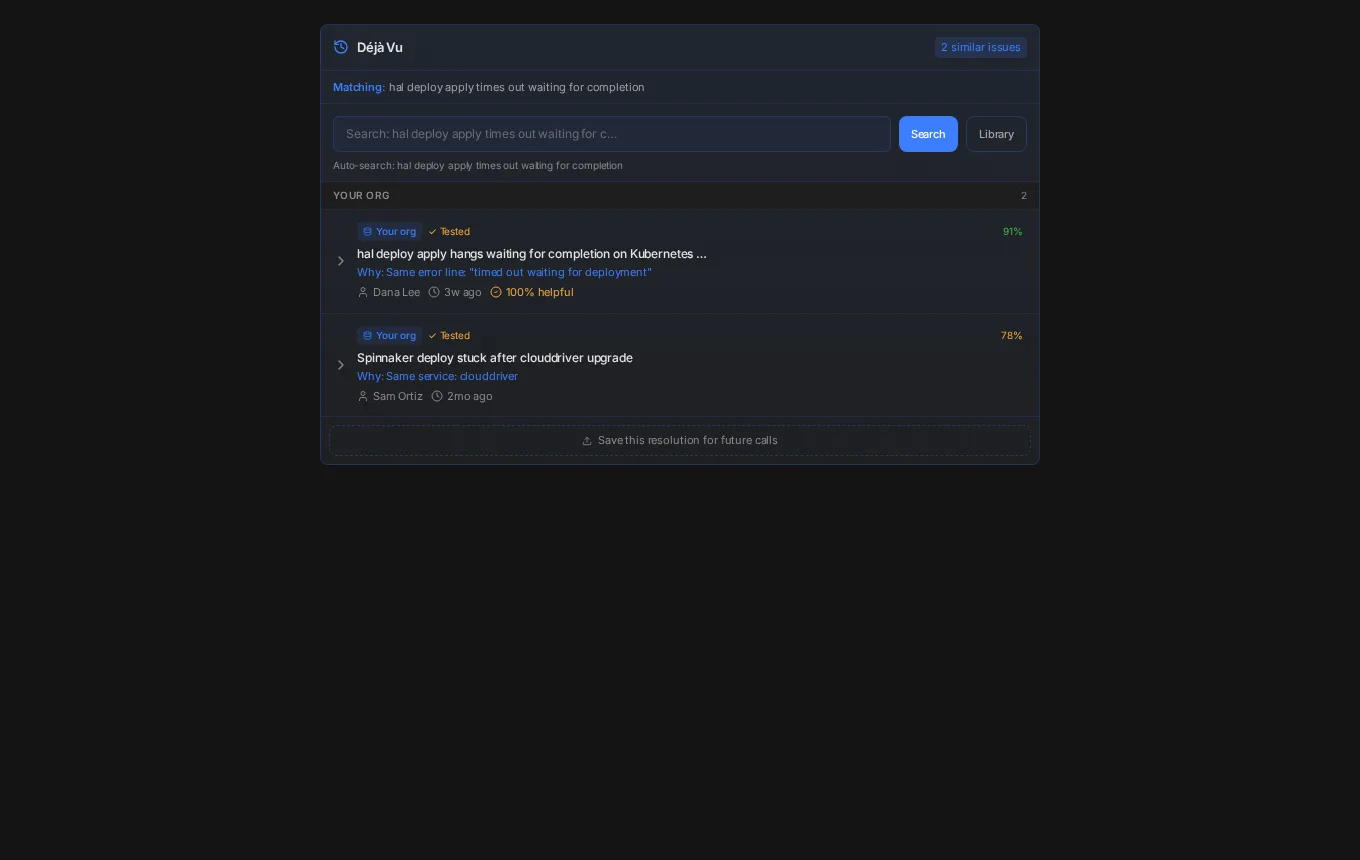
Déjà vu checks the past
Similar resolved cases from your team come up with the root cause and the fix that worked, so the second time takes minutes.
04
Escalate with context
Link the Slack thread and the Jira issue, hand engineering a clean summary, and keep the case history in one place.
See it work
Short clips recorded in the desktop app with a demo org. Nothing is mocked up.
File the bug without retyping it
Arcus drafts the bug from the investigation: summary, expected vs actual, customer impact, root cause, fix and evidence. You preview it before anything is filed.
Your queue, one click deep
Home counts open tickets, new today and SLA risk. Click a count to see exactly which tickets it means, then jump to team Insights.
On the desk
First response on every new ticket
Reads logs and screenshots, writes the internal note and a safe public reply. You review, edit and approve.
Déjà vu resolution memory
Matches the symptom against your team’s past resolutions and shows the root cause, the steps and who fixed it.
Slack and Jira linking
Attach the Slack thread and the Jira issue to the case. Escalate to an engineer with the evidence already written up.
Customer call transcriptsBeta
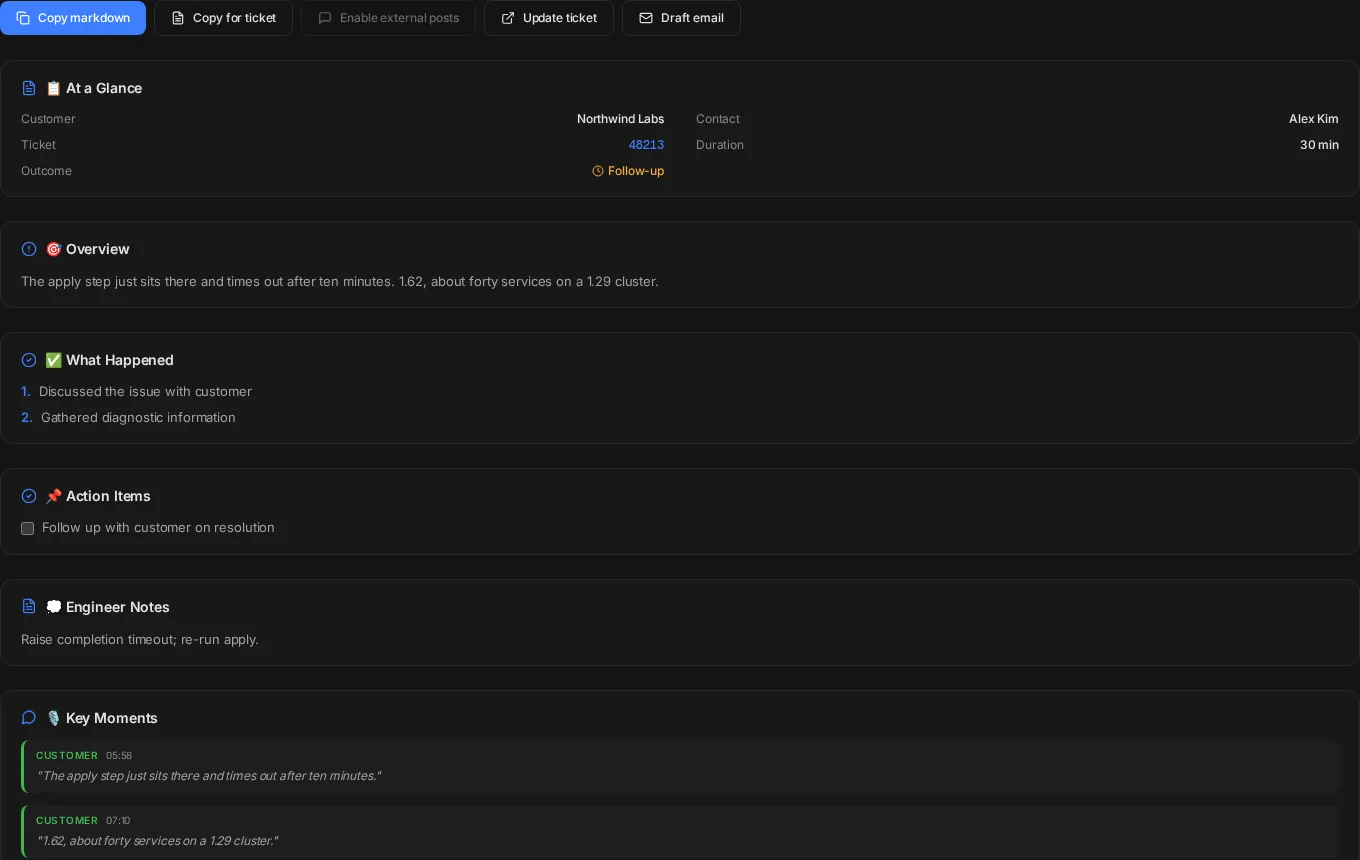
Transcribe the call while you stay in the meeting. Key moments, action items and the ticket update come out of it.
Zendesk
Queue, ticket context and drafted updates from the tickets you already work.
ServiceNowBeta
Incident context and drafted work notes from your ServiceNow queue.
Déjà vu
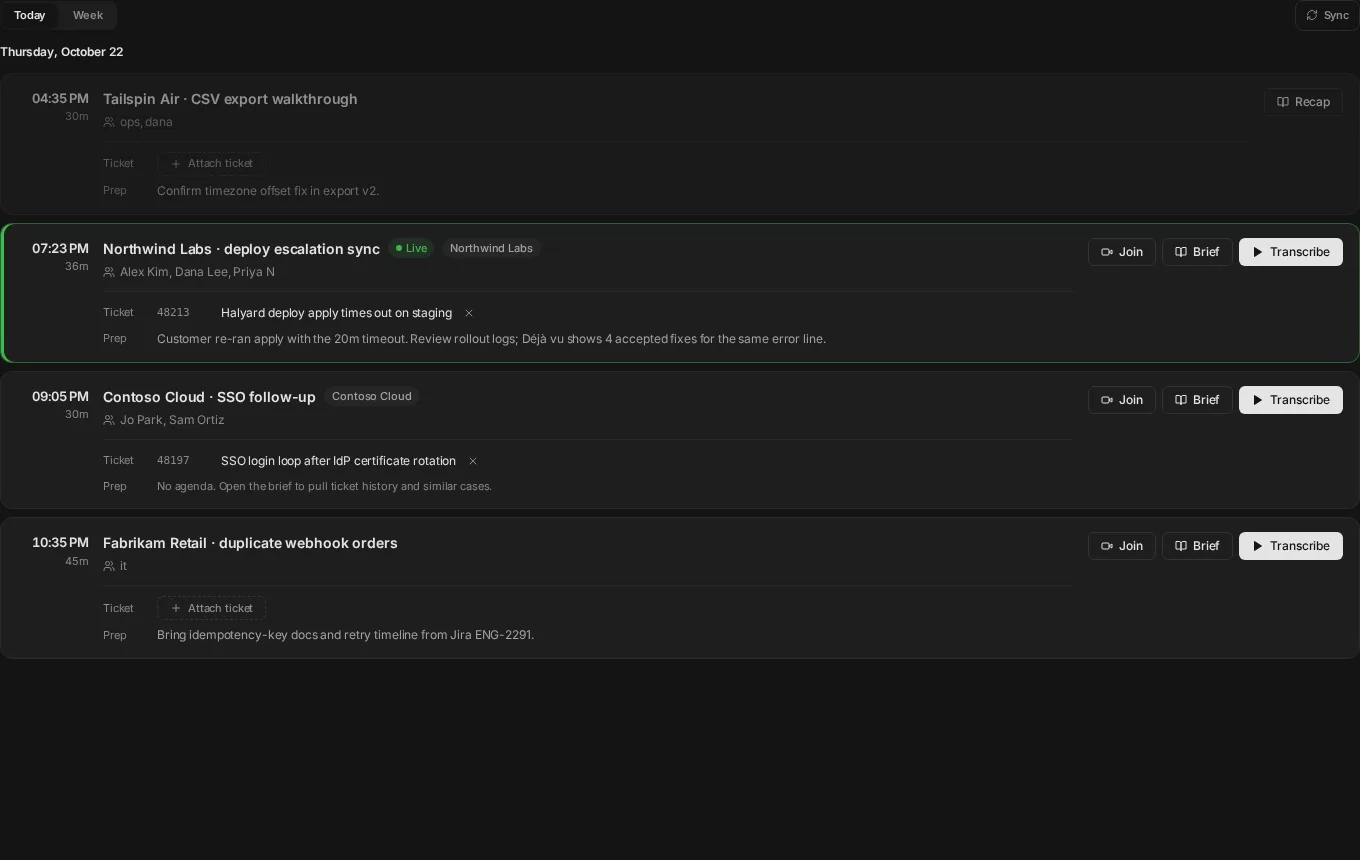
Calendar
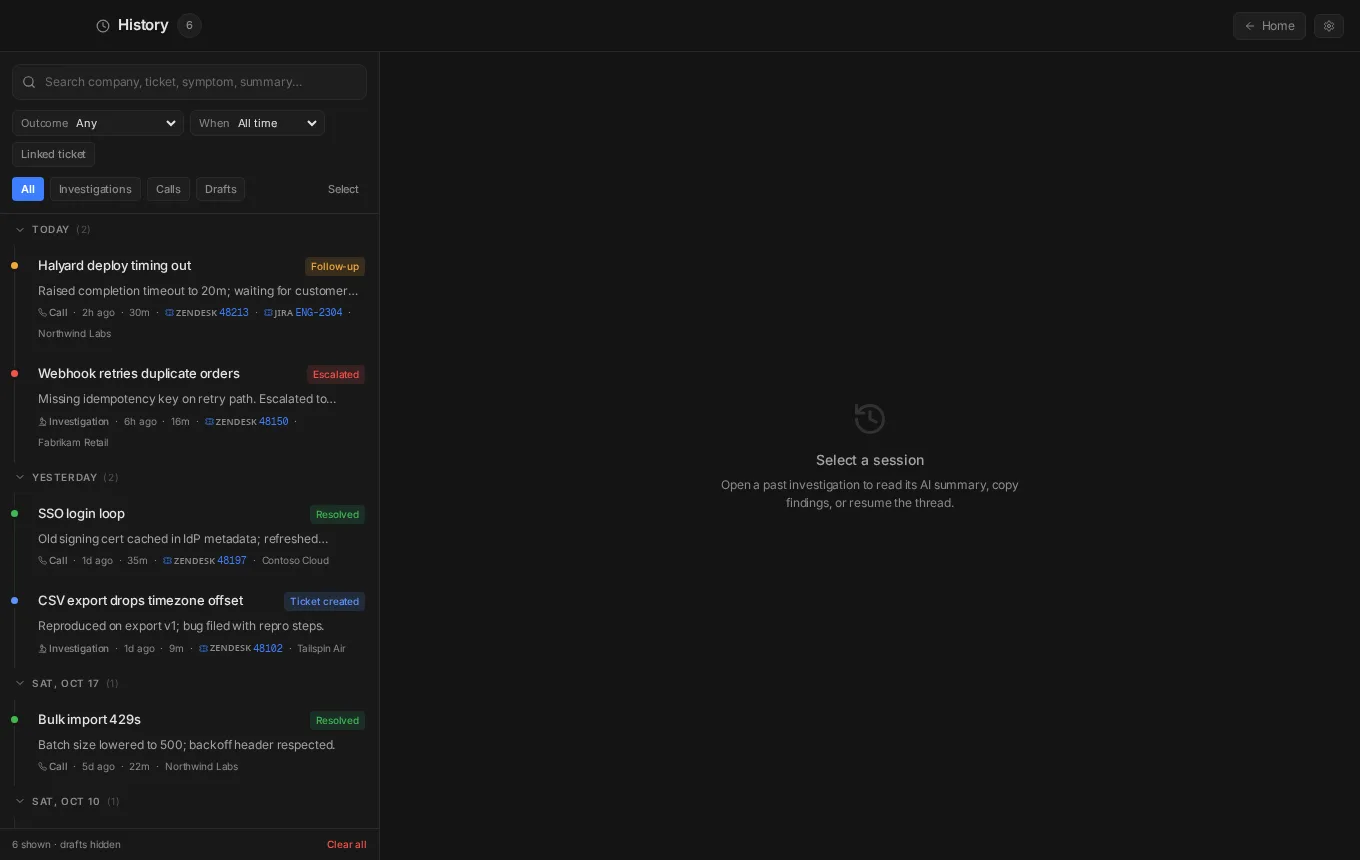
History
Call summary
Security and trust
Built for support teams that answer to customers. A person stays in the loop for everything public.
Approval before anything public
Customer replies, ticket updates and bug filings are drafts until an engineer approves them. External posting is off by default.
Data isolation per organization
Each organization’s tickets, resolutions and history are scoped to that organization. Déjà vu only searches your own team’s cases.
Repo index stays on your machine
Local repo search runs on the desktop. A code snippet leaves only when you choose to send it.
Evidence you can check
Notes cite the log lines, screenshots and past cases they came from, so you can verify before you reply.
Pricing
Hobby
Free
Great for trying Arcus
- · Included models: Haiku 5.5, GPT-6 Luna
- · Faster RCA on real tickets — personal monthly usage
- · Live Call + Investigate — no card required
Pro
$99/mo · up to 5 seats
The default for serious engineers
- · Unlock Claude, GPT, and Gemini for deeper RCA
- · Higher monthly usage for daily investigations
- · Up to 5 seats · ~$20/seat with all 5 used
Business
$599/mo · up to 15 seats
For teams — per seat
- · Everything in Pro, shared team monthly usage
- · Up to 15 seats · ~$40/seat with all 15 used
- · Higher limits when investigations scale
Looking for design partners
We are working with a small group of TSE and CSE teams on Zendesk or ServiceNow. You get early access and a direct line to the people building it; we get your honest feedback on real tickets.
Mac builds are unsigned. Right-click the app, then Open.